
What Is ERP Software? Complete Guide for Businesses in India
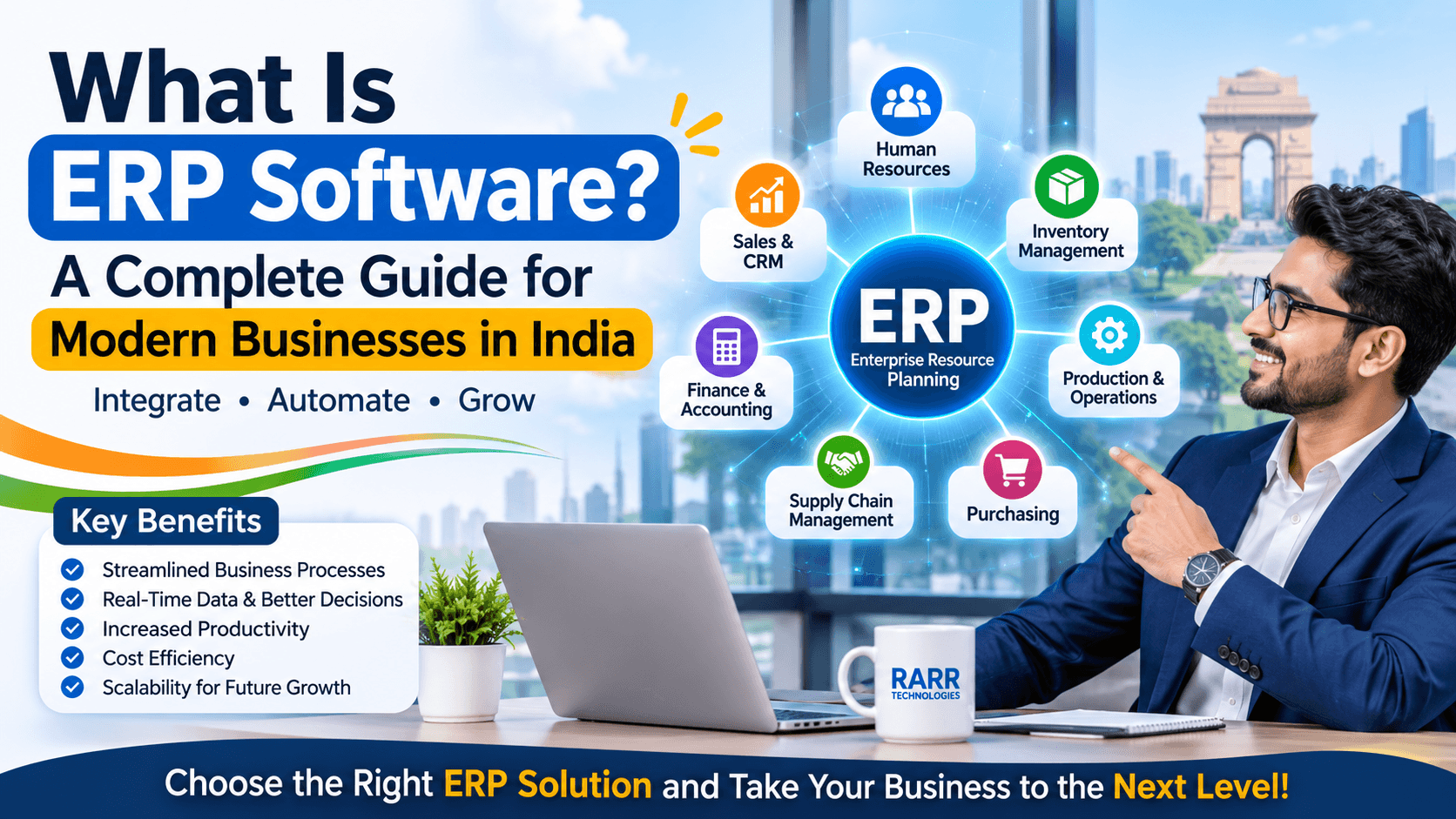
Managing today's businesses requires controlling various processes such as sales, purchasing, inventory, finance, accounting, human resources, production, customer relationships, and others. In the course of business growth, controlling all of these processes separately using different applications, spreadsheets, and other tools becomes harder.
The problems that business owners often face include disconnected information, delayed reporting, inventory inaccuracies, lack of communication channels, and other issues. All of these may influence productivity negatively, raise costs, and make decision-making more challenging.
ERP solutions can solve these problems and more.
Enterprise Resource Planning (ERP) software allows controlling various departments and processes of a business through one system. Thus, instead of keeping different records for each department, a company can integrate its processes, have access to all the information from a single source, and improve coordination between the team members.
Currently, many businesses in manufacturing, retail, distribution, health care, education, construction, services, and other industries implement ERP systems.
No matter whether you run a small business, a rapidly growing startup, or an enterprise, learning about ERP systems may reveal ways to improve business management.
In this comprehensive guide, we will cover what ERP software is, how it works, what features it includes. how to choose the right ERP solution for your organisation.
What Is ERP Software?
ERP means Enterprise Resource Planning. ERP is software used by businesses to combine different departments within an organisation through a unified platform.
ERP systems are capable of managing critical aspects such as:
• Financials and accounting
• Inventory and warehouse management
• Sales and purchase management
• Human resource management
• Customer relationship management
• Manufacturing and production management
• Supply chain management
• ORDERING and REPORTS
The core reason behind the implementation of ERP software is to link different business functions together.
Consider, for instance, a manufacturing business which gets an order from a client. In the absence of ERP systems, the sales department will be managing orders using one software application, inventory department will be handling stock using spreadsheet application while the manufacturing department will have its own software for managing the schedule of manufacture.
With an ERP system, these departments can work with connected information. When a sales order is entered, authorised users can access relevant information about inventory, production requirements, purchasing, and order status.
This improves coordination and helps businesses manage their operations more efficiently.
Modern ERP Software in India is increasingly being adopted by organisations that want better control over their business activities, improved reporting, and scalable technology infrastructure.
How Does an ERP System Work?
How an ERP system operates through integration of business units in one common database.
Each unit utilizes its particular modules according to its duties while being able to access necessary information from the common system.
For instance, in case of placing order by the customer, the ERP system can facilitate the following process flow:
- The sales department generates a customer order.
- Inventory module analyses the available stock.
- In case of stock insufficiency, the requirement could be analysed by the purchasing or production department.
- The finance department gets the related information regarding billing.
- The warehouse department handles the order.
- The management reviews the order performance and business reports.
All these activities can be unified in one system depending on its ERP system configuration.
A properly configured (ERP System) eliminates the necessity of entering the same data multiple times in different programs. In addition, ERP system allows working with consistent and updated business data.
Still, the actual capabilities depend on the software, chosen modules, integrations, access rights and implementation.
Why Do Modern Businesses Need ERP Software?
As organizations grow, their needs become increasingly complicated. Management of various departments in isolation can give rise to issues that may affect the overall performance of the business organization.
Below are some of the common issues that an ERP system can solve.
1. Disconnected Business Operations
If different departments work using different tools, information may not be made available to the other departments in time, and may lead to ineffective decision-making.
ERP systems integrate business processes and help people to access the necessary information from the same platform.
2. Manual Data Entry
Manually keeping business records increases the chances of having duplicate data, errors in calculation, and even outdated information.
ERP systems are able to automate certain business processes and minimize data entry.
3. Lack of Inventory Visibility
Large companies that have big inventories may have difficulties in tracking the inventory.
ERP systems help to monitor the inventory level, inventory purchasing and moving and also inventory record keeping.
4. Late Financial Reports
If accounting and business information is kept separate, the preparation of financial reports may become tedious.
Financial reports can easily be generated by authorized employees using ERP systems.
5. Restricted Visibility of Business
The management of a business needs correct information to analyse how well they are performing and detect any problems in the running of their businesses.
For these reasons, organisations are exploring modern ERP Software Solutions to improve coordination, automate workflows, and manage business growth.
Key Features of ERP Software
The ERP system of today has different modules that are built to support various business processes. Companies can pick and choose their modules based on the nature of business, operational needs, and budget.
Let us first know about some important ERP features.
1. Financial Management and Accounting
Financial management is an important part of ERP systems.
Financial management systems assist companies in keeping track of financial data, transactions, and accounting processes.
Some of the common features are:
• Managing general ledger
• Accounts payable and accounts receivable
• Invoice management
• Monitoring expenses
• Preparing financial reports
• Monitoring tax-related data
• Tracking cash flows
• Budgeting
This feature enables finance managers to keep track of their financial data efficiently.
2. Inventory and Warehouse Management
Inventory management is especially useful for companies operating in manufacturing, retail, wholesale, and distribution.
ERP inventory modules help companies to keep track of stock movement and inventory.
Some of the important features are:
• Monitoring stocks
• Warehouse management
• Stock arrival and dispatching
• Stock transfers
• Stock reorder level management
• Batch and serial number management
• Valuation of stock
• Stock reporting
An integrated inventory management system will be able to help businesses to identify their stock shortage and reduce wastage of resources.
3. Sales and Purchase Management
Sales and purchase are crucial operations carried out by most businesses.
ERP software assists in managing sales orders, customer quotes, purchase orders, vendor data, and order entry process.
For instance, in case of a purchase order being generated, the related data can be shared with authorized finance and inventory users.
It will help in reducing manual coordination among various departments.
4. Human Resource Management
The ERP system might have HR management capabilities to assist in carrying out employee related operations.
Some of the features that HR management module might have includes:
• Employer record
• Attendance management
• Leave management
• Payroll management
• Employer information
• Department management
• Performance management
Companies can take advantage of these features to organize the employer information and make some HR processes easier.
5. Manufacturing and Production Management
The manufacturing companies require managing their raw material, machinery, production schedule, labor, and manufactured product.
The ERP manufacturing systems help in managing:
• Production planning
• Bill of materials
• Materials requirements planning
• Work orders
• Production scheduling
• Quality control
• Work in process
• Production reporting
These features help manufacturers improve production visibility and coordinate resources more effectively.
6. Customer Relationship Management
A few ERP systems come with CRM functionality or are capable of integrating with an independent CRM system.
Such functionality can be useful to companies in organizing their customers’ details, sales inquiries, follow-ups, opportunities, and customer interactions.
Combining CRM with ERP processes could help bridge the gap between customer-oriented actions and inventory, orders, invoicing, among other operational data.
7. Reporting and Business Intelligence
Reporting is used by management for understanding operational performance and detecting problems.
The ERP reporting functionality may include:
• Sales report
• Purchase report
• Financial report
• Inventory report
• Production report
• Employee report
• Business performance dashboard
These reports could assist in making management decisions based on business data.
Types of ERP Software
ERP software comes in many different types of deployments and configurations.
The organization can decide to use ERP software based on their IT infrastructure and needs.
Following are the different types of ERP software.
1. On-Premise ERP Software
On-premise ERP Software can be installed and executed on the organization’s own servers and IT infrastructure.
Organizations themselves manage the hardware, installation, maintenance, updates, backup, and security of the software.
Advantages:
• More control over the internal infrastructure.
• Customization of the system as per the requirements of the organization.
• Data storage control.
• Suitable for organizations having IT infrastructure.
Disadvantages:
• The initial cost of setting up the infrastructure.
• Concerns related to maintenance and update.
• Hardware and IT infrastructure required.
• Necessary for remote access configuration.
2. Cloud ERP Software
Cloud ERP Software is made available through cloud infrastructure and can be accessed using an internet connection.
Instead of maintaining the entire ERP infrastructure at the premises of the organization, they can choose cloud-based infrastructure which is maintained either by the software vendor or cloud service provider.
Some of the advantages are:
• Reduced dependence on on-premise server infrastructure.
• Flexible user and resource scaling.
• Centralised software updates.
• Easier support for multiple business locations.
• Potentially lower upfront infrastructure investment.
Cloud ERP can be useful for growing businesses that need flexibility and remote access. However, organisations should evaluate internet connectivity, data security, hosting arrangements, access controls, and subscription costs before selecting a platform.
3. Hybrid ERP Software
The hybrid ERP solution uses both the on-premise and cloud computing infrastructure.
The firm may decide to host some business applications or critical processes using its own servers and other processes on the cloud.
It may be appropriate for firms intending to upgrade their infrastructure incrementally.
4. Industry-Specific ERP Software
Some ERP platforms are designed for the specific requirements of particular industries.
For example:
Industry ERP Capabilities
Manufacturing Production planning, BOM, inventory and quality management
Retail Billing, inventory, purchasing and sales management
Distribution Warehouse, order and supply chain management
Healthcare Resource, inventory and financial management
Construction Project costing, procurement and resource planning
Education Finance, administration and resource management
Industry-specific software can provide workflows that are more closely aligned with the organisation's daily operations.
What Is an All-in-One ERP Software Solution?
This All-in-One ERP Software solution integrates various business management processes in one single platform.
In this case, companies do not have to acquire separate software systems for finance, inventory management, purchasing, sales, and production; but they can perform these processes through integrated modules.
For instance, a manufacturing company can have one system for managing raw material, purchase order, production schedule, final products, sales order, and financial transactions.
The primary benefit is that departments can use common business data rather than managing them separately.
Nonetheless, an all-in-one solution must not only integrate many modules. It must also ensure integration, reporting, security, and process flow relevant to the organization's specific needs.
Benefits of ERP Software for Modern Businesses
The application of an ERP system may give rise to various organizational efficiencies provided the right system is chosen.
Now let's consider some of the major benefits.
1. Centralized Business Management
ERP systems integrate various business departments in one system.
Each employee has access to all necessary information based on his/her role and permission.
2. Increased Efficiency
Manual processes in a business may take up a lot of employee time.
ERP automation makes business processes like order processing, invoice preparation, stock management, and reporting easier.
3. Better Inventory Management
Inventory discrepancies may influence client satisfaction, purchasing decisions, and overall profitability of the business.
ERP inventory management system enables a company to track its stock, stock movement, warehouse activity, and material requirements.
4. Faster Business Reporting
Information is needed for managers to assess the performance of the business.
ERP dashboards and reporting functionality can offer details on sales, purchase, expenses, stock and manufacturing.
5. Better Coordination between Departments
The use of information that is connected makes coordination between departments easy.
For instance, the sales department will be able to coordinate well with the inventory and financial departments through use of order information.
6. Scalable Business
With growth, businesses require more users, departments, warehouses, branches, operations and even more capabilities.
ERP solutions have the ability to support this through use of more modules, configuration and integration depending on the platform.
7. Better Information Management
Information management in an organization through use of spreadsheets and applications leads to duplication and inconsistency.
ERP solutions are able to help businesses in managing structured information.
8. Better Customer Service
Where information on customer orders, stock and billing information is integrated, customers will be served well.
Best ERP Software for Small Business: What Should You Look For?
Often, small businesses work with a constrained budget, smaller workforce, and minimal technical facilities. Still, there is a need for effective accounting, inventory, purchasing, sales, and operation management systems.
In selecting the Best ERP Software for Small Business it is necessary to understand what your current requirements are and where you want to go from here.
Below, I offer some key considerations.
1. Simple User Interface
Small businesses might not afford the luxury of having dedicated IT staffs who can handle complex software solutions.
It is necessary to select an ERP system with a simple dashboard, easy navigation, and clear workflow processes which will help your employees to learn faster.
2. Necessary Business Modules
You first need to identify your requirements in relation to the business.
These can vary depending on your industry and may include such elements as:
• Accounting and finance
• Sales management
• Purchase management
• Inventory management
• Warehouse management
• Customer management
• Employee management
• Business reporting
There is no need to buy unnecessary modules for which your business has no current requirements.
3. Flexible Pricing
Small businesses should pay attention to monthly subscription prices, installation costs, training costs, maintenance cost, etc.
4. Accessibility of Cloud
The cloud ERP system may be beneficial to allow your staff to have access to their authorised business data from other places.
It might come in handy for businesses that have remote teams, more than one branch, or operate out in the field.
5. Customisation and Integration
Each business has its own workflow.
Ensure that your ERP system has customisation and integration options with other software such as accounting and payments systems.
6. Technical Support
Having reliable technical support is essential throughout the implementation process and during day-to-day operations.
ERP Software Price in India: How Much Does ERP Cost?
Among many questions business owners tend to ask prior to ERP solution purchasing, one of the most popular is related to its price.
The ERP Software Price in India is variable depending on the software vendor, number of users, chosen modules, type of deployment, customisation, etc.
There is no fixed price that suits all businesses.
For instance, small trading companies with the basics in accounting and inventory management have different software needs compared to manufacturing firms with several production plants and warehouses.
Factors Affecting the ERP Software Cost
- Number of Users: There are some software vendors that consider the number of users while calculating subscription fee. It might be a reason why the cost increases.
- Chosen Modules: Various modules like manufacturing, HR, CRM, inventory, reporting, etc., can have an impact on the final price.
- Deployment Model: Pricing for cloud subscriptions and on-premise licensing might be different.
- Customisation: Workflow customisations, additional features, integration can influence the implementation cost.
- Data Migration: Importing data of the existing business to the new ERP system can take some time and effort.
- Training and Implementation: The employees must be properly trained to work with the software.
ERP Software Cost: What Should Businesses Calculate?
When comparing the ERP Software Cost, do not consider only the initial purchase or subscription amount.
Evaluate the total cost of ownership, which may include:
Cost Component Description
Software Licence Initial or recurring software charges
Subscription Monthly or annual cloud charges
Implementation Installation, configuration and deployment
Customisation Changes according to business workflows
Data Migration Transfer of existing business records
Employee Training User onboarding and training
Maintenance Updates, technical support and maintenance
Integration Connecting ERP with other applications
A solution with a lower initial price may involve additional expenses later. Therefore, businesses should compare the complete cost over the expected usage period.
How to Find Affordable ERP Software?
Finding Affordable ERP Software does not imply going for the most affordable software in the market. Rather, it means finding a software that will offer all the necessary qualities that one requires within the budget limit.
Here are some useful tips:
- Look for your most critical business needs.
- Look at the features of different ERP vendors.
- Ask for a demonstration before you buy any software.
- Learn about subscriptions and implementation fees.
- Find out how scalable the software is.
- Find out customer support and training services.
- Security and backups of data.
- Options of customization and integration.
In addition to the above, organizations can inquire about hidden costs, renewal periods, number of users and data ownership.
Properly selected ERP software will assist organizations in eliminating inefficient operations in the business.
How to Choose the Best ERP Software for Your Business?
The choice of an ERP solution is a major business decision since it will have to address your operations, problems, and potential business expansion in the future.
Here is how you can choose an ERP solution step-by-step.
Step 1: Define Your Business Needs
To begin with, it is essential to identify the issues that your organization needs to resolve.
Examples may include:
• Poor inventory management?
• Maintenance of financial data manually?
• Lack of integration of sales and purchases operations?
• Finding production planning challenging?
• Need for more effective reporting and business visibility?
This will be helpful to determine what kind of modules to choose.
Step 2: Compare Various ERP Suppliers
Conduct research on several software vendors and compare their solutions, services, and support.
Do not rush into buying software based only on their marketing statements. Ask for a demo.
Step 3: Assess Customisation Possibilities
It is not advisable to use ERP software that dictates your company processes as opposed to having the capacity to adapt to them.
Find out if the software has customization possibilities, generation of custom reports, integration, and add-ons.
Step 4: Assess Security and Data Privacy
The information at your business include financial records, personnel data, customer information, and sensitive business data.
Before purchasing any software, check for:
• User permissions
• Data Encryption
• Backups and Recovery of data
• Logging of activity
• Authentication of users
• Data Hosting
• Software Updates for security purposes
Step 5: Assess Software to Grow with Your Business
Look for software that will be able to accommodate more users, locations, departments, and business processes as your organization grows.
Step 6: Ask For a Free Demonstration
The product demo enables you to know how the ERP software functions in business scenarios.
Ask for a demo of critical functions such as creating purchase orders, inventory management, invoicing and reports.
ERP Implementation Process: A Step-by-Step Guide
ERP software purchase is the first step, while its successful deployment will require planning, employee involvement, data preparation, and technical assistance.
Below is an example of an ERP implementation procedure.
Avoiding Common Missteps in ERP Implementation Projects [2026 Guide]
centium.net
1. Requirements Analysis
The first stage of ERP implementation involves analysing the processes and problems of the company as well as the requirements for software.
The implementation team determines which modules, procedures, and integration will be required.
2. ERP Software Selection
Following the analysis of requirements, an ERP system is selected by the company.
3. System Setup
The software is then set up depending on the departmental structure, procedures, access rights, and reporting needs of the organisation.
4. Data Migration
The business information, such as customers' details, vendors' details, inventory information, and financial information, may need to be migrated to the new system.
Data should be prepared for migration.
5. Testing
Key processes in the system must be tested by the implementation team to detect any bugs and ensure the system functions as intended.
6. Employee Training
Training should be provided to employees based on their roles and responsibilities in the organization.
Good training is essential since it ensures users embrace the system.
7. Go-Live and Continued Support
Following testing and preparations, the ERP system can be implemented into operation in the company.
This is followed by continuous monitoring of the system to enhance its performance.
Top ERP Software Companies in India: What Should Businesses Consider?
India has a developing ERP software market, with various software vendors providing ERP solutions for small businesses, manufacturing firms, retailers, distributors, and large corporations.
When conducting research into ERP Software Companies in India firms should do more than simply comparing the interfaces of their solutions.
Key considerations in the selection of an ERP system should include:
• Industry-specific expertise
• ERP module availability
• Implementation services
• Solutions customization
• Integration capabilities
• Support services
• Pricing
• Data security
• Scalability
Firms may choose from ERP systems such as SAP, Oracle NetSuite, Microsoft Dynamics 365, TallyPrime, and Odoo. These ERP solutions differ in functionality, deployment models, and prices.
How RARR Technologies Helps Businesses with ERP Software
Companies that are in search of an all-in-one package should consider Coconut ERP provided by RARR Technologies.
ERP Software India | ERPNext Partner & Implementation Company | Quantbit Technologies
quantbit.io
Coconut ERP is a business management system which aims at helping organisations effectively handle important business activities using a comprehensive software application.
Rather than adopting several different applications for handling various business operations, companies can try to use a single solution.
Through Business ERP Software organisations can aim at ensuring that information management, process management, and operational visibility are improved.
As part of the evaluation of Coconut ERP, companies can consider its various modules and features based on their needs.
Coconut ERP: Coconut ERP provided by RARR Technologies
Companies that would like to learn more about this software can contact RARR Technologies for more information and a demo.
What Is the Future of ERP Software?
ERP technology is evolving as businesses adopt cloud computing, automation, artificial intelligence, and advanced data analytics.
Modern ERP platforms are increasingly focusing on making business operations more connected, accessible, and data-driven.
Here are some important developments shaping the future of ERP.
1. Artificial Intelligence in ERP
AI capabilities can help analyse business information, identify patterns, automate selected tasks, and support forecasting.
For example, AI-assisted analytics may help businesses identify purchasing trends or predict inventory requirements.
2. Cloud-Based Business Management
Cloud platforms allow businesses to access authorised information through internet-connected devices.
The adoption of cloud ERP is expected to remain an important part of business technology modernisation.
3. Automation of Business Processes
Automation can reduce repetitive manual activities across finance, sales, purchasing, and inventory management.
This allows employees to spend more time on important operational responsibilities.
4. Mobile ERP Access
Mobile-friendly ERP applications can help employees access business information, approve requests, and review selected reports while working remotely or travelling.
5. Advanced Analytics and Reporting
Modern reporting tools can help business owners understand operational performance through dashboards, data visualisation, and analytical reports.
These capabilities can support more informed business planning.
Frequently Asked Questions (FAQs)
1. What is ERP software in simple words?
ERP software is a business management system that connects different departments, such as finance, inventory, sales, purchasing, and HR, through one integrated platform.
2. What are the main uses of ERP software?
ERP software is used to manage business operations, automate workflows, maintain financial records, track inventory, process orders, manage employees, and generate business reports.
3. Which industries need ERP software?
ERP software can be useful for manufacturing, retail, wholesale, distribution, healthcare, education, construction, logistics, and service-based industries.
4. What is the difference between ERP and CRM?
ERP focuses on managing internal business operations, including finance, inventory, purchasing, production, and resources.
CRM focuses primarily on managing customer information, sales activities, customer interactions, and relationships.
Some ERP platforms include CRM features or integrate with separate CRM applications.
5. Is cloud ERP better than traditional ERP?
Cloud ERP offers internet-based access, flexible scalability, and reduced dependence on on-premise infrastructure.
Traditional on-premise ERP provides greater direct control over infrastructure but requires the organisation to manage hardware and maintenance.
The appropriate option depends on the company's requirements, budget, security policies, and IT capabilities.
Conclusion
ERP software has become an important technology for modern businesses that want to manage their operations more efficiently. From accounting and inventory to purchasing, sales, production, and employee management, an integrated ERP platform can help organisations connect their departments and improve business visibility.
Choosing the right ERP solution requires careful evaluation of business requirements, software features, implementation services, security, scalability, and overall cost.
Whether you operate a startup, small business, manufacturing company, or established enterprise, the right ERP platform can support better coordination and more organised business operations.
If you are exploring an integrated business management solution, consider Coconut ERP by RARR Technologies.
Simplify your business operations with Coconut ERP. Explore the solution and request a demo today!
.
Nishant Kapoor
Technical Contributor & Solutions Architect at RARR Technologies
Leave a Comment
Your email address will not be published. Required fields are marked *